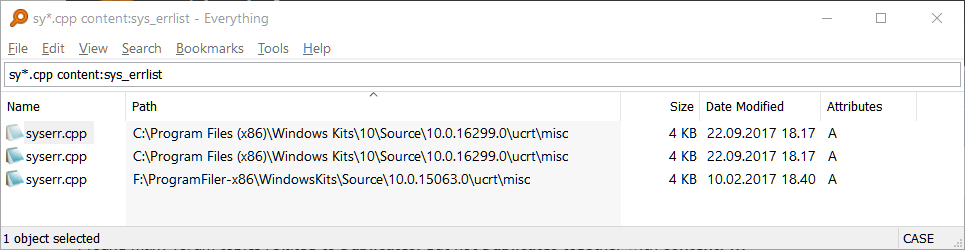
void wrote:What are your results if you search for syserr.cpp?
The same.
Do you have a folder index which might be duplicating these results from Tools -> Options -> Folders?
That seemed to be it. I had these:
c:\Program Files
c:\Program Files (x86)
Removing them and selecting Rescan Now fixed it.
But, I'm not sure if it's a good idea to remove them. Isn't it true that a content:foo search is much faster when those folders are indexed?
Everything can search content for all the files it has in it's database.
Your files were twice in the database: once through NTFS indexing of your C:-drive (Menu:Tools > Options > NTFS) and once through folder indexing your Program Files folder (Menu:Tools > Options > Folder).
And thus found twice with your search query.
Remove the folder indexing ones and all your files on the C:-drive will still be in the database.
Now your search query will return the file once.