I was a bit concerned about the fact that all my videos were visible in Everything when I changed the Search option to Video. To prevent some private videos from appearing inn the search results, I removed two folders from the Options --> Indexes using the menu provided. Although that removed the contents of the selected folders from the search results, it also changed the default English language to a foreign language which I don't recognize. Here's a screenshot:
So my question now is how to revert to the default English language menus.
Default language changed after moving folders
-
Crusader
- Posts: 2
- Joined: Sun Oct 05, 2025 10:43 am
Default language changed after moving folders
You do not have the required permissions to view the files attached to this post.
-
void
- Developer
- Posts: 20305
- Joined: Fri Oct 16, 2009 11:31 pm
Re: Default language changed after moving folders
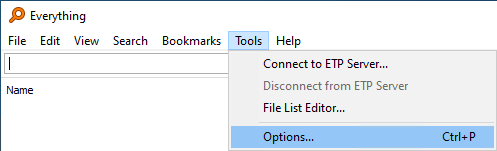
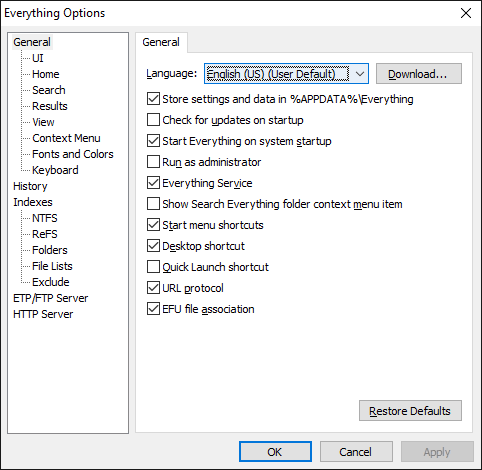
To change the language to English:
- In Everything, from the Tools menu, click Options.
- Click the General tab on the left.
- Set Language to English.
- Click OK.
-
Crusader
- Posts: 2
- Joined: Sun Oct 05, 2025 10:43 am
Re: Default language changed after moving folders
Thanks Void. Everything is back to normal now.