Hello everyone
With previous versions I had no problems.
As soon as I typed the first letters everything appeared very quickly.
With this latest version I have to type the exact word to find something and also respect case.
However, I haven't changed anything from the previous settings.
An idea ?
Research
-
void
- Developer
- Posts: 20360
- Joined: Fri Oct 16, 2009 11:31 pm
Re: Research
Please make sure no search options are checked under the Search menu.
Uncheck match case and uncheck match whole words.
Uncheck match case and uncheck match whole words.
-
Ninieblhz
- Posts: 18
- Joined: Fri Apr 05, 2013 1:30 pm
Re: Research
I unchecked everything in Search and everything is much better.
Thanks
Thanks
-
Ninieblhz
- Posts: 18
- Joined: Fri Apr 05, 2013 1:30 pm
Re: Research
In fact, I still have the problem of accents.
If I type "foret" nothing appears.
I have to type "forêt".
If I type "foret" nothing appears.
I have to type "forêt".
-
therube
- Posts: 5848
- Joined: Thu Sep 03, 2009 6:48 pm
Re: Research
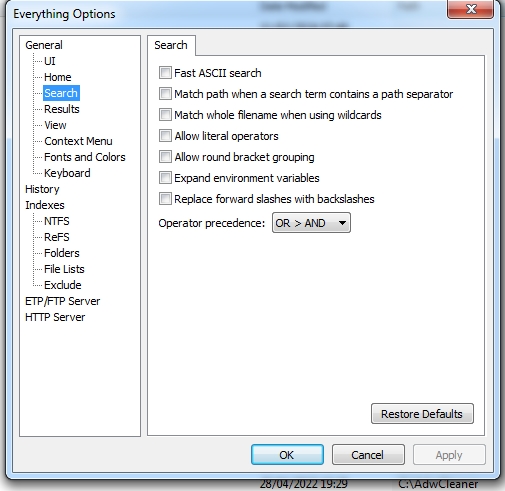
Search (menu item), ensure that Match Diacritics is not enabled.
-
Ninieblhz
- Posts: 18
- Joined: Fri Apr 05, 2013 1:30 pm
-
therube
- Posts: 5848
- Joined: Thu Sep 03, 2009 6:48 pm
Re: Research
.Search (menu item)
You do not have the required permissions to view the files attached to this post.