makevoidtools is a program to compile your own
voidtools.com website.
All text can be customized for localization.
- Extact makevoidtools.zip to a new folder, eg: c:\makevoidtools
- Copy the en-us.txt file and name it with the language code for your language and region.
- This is the main translation template file for the website.
- For example: en-us.txt
- Copy the en-us subfolder and name it with the language code for your language and region.
- This is the main translation folder for the website.
- For example: en-us
- open your main translation file, eg: en-us.txt
- Read the notes inside this translation file for help.
- translate all strings.
- translate all pages in the main translation folder, eg: en-us\*.txt
- I recommend leaving the filenames in English (Optional).
Requirements
Only the files directly in your main translation folder (eg: en-us) need to be translated.
Translating the support wiki is not required. -not all pages need translating as some are quite technical.
translating the following support wiki pages are encouraged:
- 01-Installing Everything.txt
- 02-Using Everything.txt
- Searching.txt
Offline help
The Everything.chm offline help will use the same support wiki templates.
Testing
Run makevoidtools.exe
makevoidtools will compile *.txt in the same location as makevoidtools.exe
These txt files will be translation templates for each language and region.
makevoidtools.exe <output folder> <url root>
Example:
makevoidtools.exe c:\makevoidtools\voidtools file://c:/makevoidtools/voidtools
Open c:\makevoidtools\voidtools\index.html
Wiki Pages
Make sure you open and save wiki pages as UTF-8
Wiki pages in the support folder use basic
wiki markup language.
Prefixing a wiki page template with a number are shown above all other wiki pages in sequence. For example, 01-Installing Everything.txt is the first wiki page listed and 02-Using Everything.txt is the second wiki page listed and so on.
wiki page templates starting with a underscore (_) are hidden. For example:
http://www.voidtools.com/support/everything/db.
Wiki syntax
The voidtools wiki syntax is very similar to
Wikipedia's markup with some limitations:
- Text
-
A paragraph of text.
-
Main Header
- Italic
-
Italic
- Bold
-
bold
- Italic and Bold
'''''Italic and Bold'''''
Italic and Bold
- Links
- Relative URLs are relative to http://www.voidtools.com/en-us
where en-us is your language-region code.
The |text part in [ [url|text]] can be omitted, in which case the url is used as the text and URLs paths are striped when no protocol is present.
[[http://en.wikipedia.org/wiki/]]
http://en.wikipedia.org/wiki/
[[faq#what_is_everything|What is Everything?]]
What is Everything?
- Images
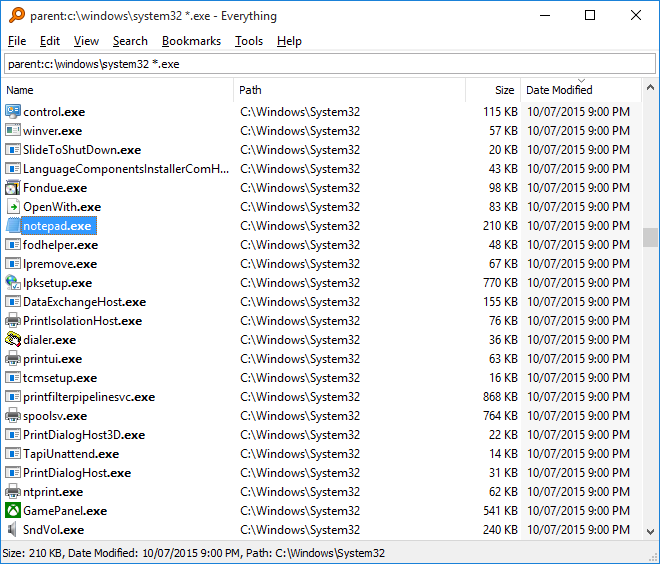
[[File:support/everything/Everything.Search.Window.png|alt=Everything Search Window]]
- Preformatted text
<pre>
int i;
for(i=0;i<10;i++)
{
	printf("hello %d\n",i);
}
</pre>
int i;
for(i=0;i<10;i++)
{
	printf("hello %d\n",i);
}
- Unordered lists
<ul>
*item1
*item2
<ul>
*subitem1
*subitem2
*subitem3
</ul>
*item3
</ul>
- item1
- item2
- subitem1
- subitem2
- subitem3
- item3
- Tables
{|
! header1
! header2
! header3
|-
| row1, data1
| row1, data2
| row1, data3
|-
| row2, abc1
| row2, abc2
| row2, abc3
|}
| header1 | header2 | header3 |
|---|
| row1, data1 | row1, data2 | row1, data3 |
| row2, abc1 | row2, abc2 | row2, abc3 |
- Discription lists
<dl>
;''item1''
text1
;''item2''
text2
;''item3''
text3
</dl>
- item1
- text1
- item2
- text2
- item3
- text3
Macros
Download Everything 1.4.1.1032
Download Installer
Download Installer 64-bit
Download Portable Zip
Download Portable Zip 64-bit
Download Lite Installer
Download Lite Installer 64-bit
Changes What's New Older Versions License SHA256 Supported Languages In Development Help
Help
If you need any assistance, please
contact David Carpenter.
